
By Ronald itting September 3, 2026
A customer approves a service estimate, receives a deposit link, and pays part of the project cost. Weeks later, the work is complete and the office sends the final invoice. This sounds simple, but online deposit payments become risky when the billing system cannot clearly distinguish what was invoiced, authorized, captured, refunded, settled, or still owed.
The most important rule is straightforward: the deposit and final balance must be treated as separate, traceable payment states. Staff and systems should always know what was billed, what was authorized, what was captured, what was refunded, and what remains due before another payment attempt is created.
A service business should never rely on memory, the last four digits of a card, a generic “paid” flag, or a customer-facing success page to determine what happened. The payment ledger must provide the answer.
A useful principle to display wherever billing staff work is:
Invoice Total ≠ Amount Authorized ≠ Amount Captured ≠ Amount Paid ≠ Remaining Balance
For example:
Job Total: $2,000
Deposit Captured: $500
Remaining Balance: $1,500
Once that $500 has successfully become an applied payment, the system must not continue showing $2,000 as though nothing has been paid.
What Is a Deposit Payment Workflow?
A customer deposit is usually a partial payment collected before the full service obligation is completed. Service businesses may request one to reserve an appointment, purchase materials, secure production capacity, begin customized work, confirm a project slot, or establish the customer’s commitment to proceed.
A deposit is not automatically the same thing as a card authorization. When the business captures a $500 deposit, it has processed an actual $500 payment. When it merely requests authorization for $500, the issuer may approve a reservation of available funds, but the transaction has not necessarily progressed through capture, clearing, settlement, and funding.
The deposit’s refundability is also a separate business and contractual question. Businesses should clearly disclose applicable cancellation, refund, and deposit terms instead of assuming every deposit is either refundable or nonrefundable.
A clean deposit payment workflow keeps at least six values synchronized:
- current approved job total;
- amount requested as the deposit;
- amount actually captured;
- refunds and credits applied;
- remaining balance;
- invoice and payment status.
A similar staged approach appears in this overview of payment workflows from deposits through final bills, which illustrates why quotes, deposits, intermediate payments, and final balances should be treated as distinct billing events.
For service businesses using stored credentials, an informative guide to card-on-file billing for service companies also illustrates why payment authorization, tokenized credentials, transaction records, and billing communication need to be connected rather than maintained as unrelated records.
Deposit Sale/Capture vs. Authorization Hold
A deposit sale or capture means the business is actually collecting a portion of the amount now. If a contractor has a $5,000 project and collects a $1,000 deposit, the ledger can show $1,000 paid and $4,000 remaining, subject to later changes in the approved project total.
An authorization hold requests approval but does not by itself mean the merchant has collected the money. Authorization is part of payment processing, while capture is the merchant’s instruction to complete or submit the approved amount according to its provider’s workflow.
This distinction matters because an authorization code is not proof that funds are settled. A staff member who sees “approved” and assumes “paid” may reduce the invoice prematurely. A different employee who sees “unpaid” and assumes the authorization failed may submit the transaction again.
For that reason, every system should maintain an explicit processor state such as authorized, captured, settled, voided, refunded, declined, or unknown, instead of translating every successful-looking response into one generic “paid” status.
Should the Deposit Be a Separate Sale or Part of an Authorization/Capture Flow?
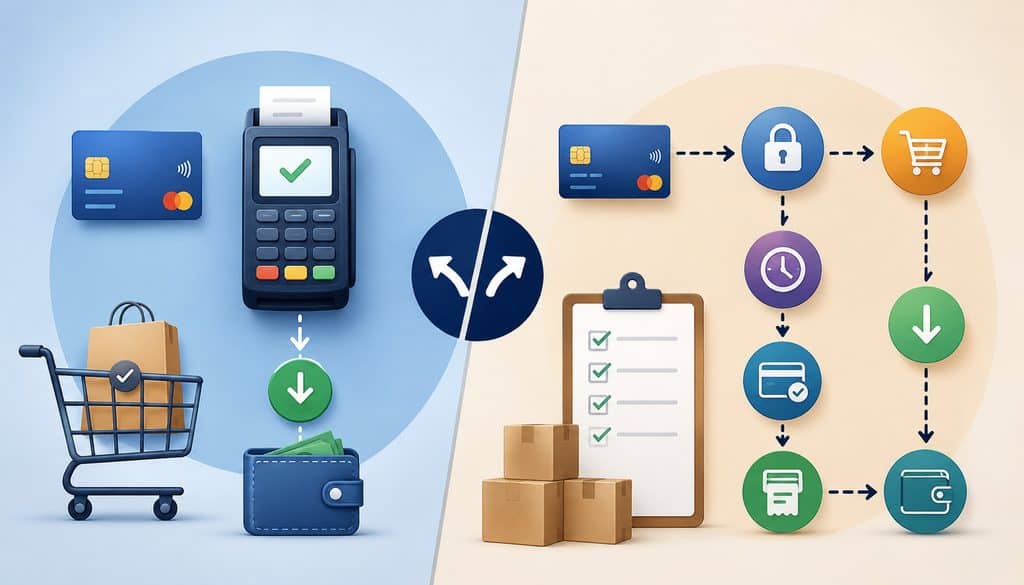
For many service businesses, particularly projects that last days, weeks, or months, a separately captured deposit followed by a separately billed final balance creates the clearest operational history:
$500 deposit captured today + $1,500 balance collected later
The deposit has its own payment ID and receipt. The final balance has another payment ID and receipt. Both transactions point to the same job, but neither is mistaken for the other.
An authorization-and-delayed-capture model can be appropriate when the provider supports it, the fulfillment period fits applicable rules, and the business has a legitimate reason to authorize first and capture later. It should not be selected merely as a way to leave an authorization open indefinitely.
Authorization timing and processing rules vary according to factors including the payment network, transaction classification, merchant category, region, processor, gateway, issuer, and transaction circumstances.
Mastercard’s current transaction-processing rules, for example, contain different authorization and reversal requirements for different transaction types; they should not be reduced to one universal “authorization lasts X days” rule.
Visa’s current rules likewise define specific processing requirements for stored credentials and transaction amounts rather than providing one blanket rule that can safely be applied to every service-business deposit.
| Model | Customer Pays Now? | Main Use | Key Risk |
| Deposit sale | Yes, once captured | Collect a defined portion now | Charging original total again at final billing |
| Authorization-only | Not necessarily | Reserve approval before later capture | Mistaking approval for payment |
| Delayed capture | After later capture | Shorter fulfillment flows supported by provider | Authorization aging or incorrect capture handling |
| Tokenize now, charge later | Not merely because token is stored | Future payment under proper customer authorization | Charging without appropriate agreement or transaction treatment |
Long-Lead Service Jobs, Partial Capture, and Multiple Capture
A project scheduled well into the future is often operationally easier to manage as Deposit Captured Now → Final Invoice or Tokenized Final Payment Later than as one authorization that staff hope remains usable until completion.
A partial capture means capturing less than the amount that was authorized. A multiple-capture arrangement involves more than one capture associated with an authorization or payment flow.
Those functions are not universal. Their availability, required transaction indicators, limits, timing, and reconciliation behavior depend on the gateway, processor, network rules, and business model.
Businesses should therefore ask their provider specifically whether multiple capture is supported for their transaction type rather than building a deposit workflow around an assumption.
When an authorization is no longer needed or a transaction is finalized below the amount previously authorized, reversal requirements may apply. Mastercard, for example, publishes requirements concerning full and partial authorization reversals in its processing rules.
For a contractor, agency, event provider, or repair business, simplicity often favors two clearly identified financial events: one deposit and one final payment.
Build the Payment State Model Before Building the Checkout

The cleanest service business payment workflow begins with a ledger, not a Pay button. Every job should have one current approved financial picture that can be reconstructed without relying on staff memory.
The system should preserve historical transactions instead of overwriting them. If a $750 deposit was captured and later $250 was refunded, the original capture remains a $750 transaction and the refund remains a separate $250 transaction.
That gives the account a net deposit contribution of $500 without rewriting payment history.
| Job State | Invoice Total | Deposit Paid | Remaining Balance | Payment Status |
| Estimate accepted | $3,000 | $0 | $3,000 | Deposit due |
| Deposit paid | $3,000 | $750 | $2,250 | Partially paid |
| Change order approved | $3,400 | $750 | $2,650 | Partially paid |
| Job complete | $3,400 | $750 | $2,650 | Balance due |
| Final balance paid | $3,400 | $3,400 total payments | $0 | Paid |
The payment system may simultaneously record one transaction as captured and another as not yet created. That is why invoice state and processor state should remain linked but separate.
Payment State and Invoice State Are Different
A payment may progress through states such as:
Created → Pending → Authorized → Captured → Settled
Exceptions may include:
- declined;
- unknown;
- canceled or voided;
- reversed;
- refunded;
- partially refunded.
An invoice can instead move through:
Draft → Deposit Due → Partially Paid → Balance Due → Paid → Refunded/Adjusted
These are two different state machines.
Suppose an invoice is $2,000 and a $500 card transaction is authorized but not captured. The payment may be “authorized,” while the customer account may still require appropriate handling before that $500 can be treated as an actual paid deposit.
Conversely, a $500 captured deposit may have already reduced the invoice to $1,500 while its processor settlement appears later in a funding report.
Collapsing these concepts into one status = paid field is one of the easiest ways to create incorrect balance calculations.
How Should the Remaining Balance Be Calculated and Shown?
The remaining balance should be calculated from the current approved job total, not copied from the original estimate and not manually retyped by an employee.
A practical formula is:
Remaining Balance = Current Approved Job Total − Net Successfully Captured Payments − Applicable Credits
“Net successfully captured payments” means the accounting design must properly account for refunds or reversals of captured funds. A convenient companion formula is:
Net Deposit Applied = Deposit Captured − Deposit Refunded
Do not automatically reduce the balance for a declined attempt, failed capture, abandoned checkout, expired authorization, or duplicate pending authorization that never became an applied payment.
Consider this example:
Original Job Total: $3,000
Deposit Captured: $750
Approved Change Order: +$400
Revised Job Total: $3,400
Remaining Balance: $2,650
The calculation is:
$3,400 − $750 = $2,650
If $250 of the deposit was later refunded:
$750 captured − $250 refunded = $500 net deposit applied
The revised balance would then become:
$3,400 − $500 = $2,900
The important point is that neither the invoice nor the employee should guess. The balance should come from the current billing ledger.
Show the Customer the Calculation
The final invoice should make the customer’s payment history obvious. Do not send an invoice that simply says “Amount due: $2,650” when the underlying job has deposits, change orders, credits, or refunds the customer may reasonably want to understand.
A useful presentation is:
| Description | Amount |
| Original approved work | $3,000 |
| Approved change order | +$400 |
| Discounts/credits | $0 |
| Current job total | $3,400 |
| Deposit received | −$750 |
| Remaining balance | $2,650 |
If a credit is granted, either update the approved total or represent the credit consistently according to the organization’s accounting design. What matters operationally is that the customer-visible invoice and internal ledger reach the same balance.
The business should never force the customer to calculate the final amount from an old estimate, a deposit receipt, and several separate emails.
For teams with field technicians or contractors, this broader guide to flexible billing workflows for field service businesses provides additional context for connecting invoicing and payment collection to service operations.
What Transaction IDs Should Be Stored Between the Deposit and Final Payment?
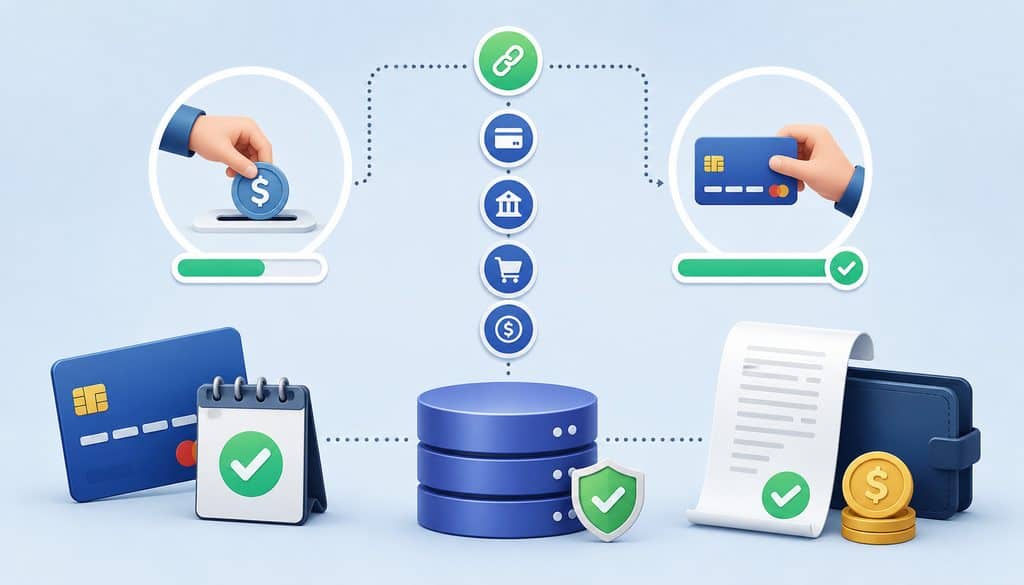
A deposit and final balance should be connected by business identifiers and processor identifiers. Staff should be able to start with the customer’s job and trace every financial event through the gateway and, where needed, through settlement.
Useful non-sensitive references include:
- customer ID;
- job or order ID;
- estimate ID;
- invoice ID;
- deposit invoice ID;
- final invoice ID;
- gateway payment ID;
- processor transaction ID;
- authorization reference or authorization code where useful;
- capture ID where separately provided;
- refund ID;
- token or payment-method ID;
- batch or settlement ID where applicable.
A practical mapping looks like:
Customer → Job ID → Invoice ID → Deposit Payment ID → Refund/Adjustment IDs → Final Payment ID → Settlement
| Identifier | What It Links |
| Job/order ID | Service or project |
| Invoice ID | Amount billed |
| Deposit payment ID | First payment |
| Final payment ID | Remaining-balance transaction |
| Refund ID | Returned amount |
| Token/payment-method ID | Stored payment credential reference |
| Settlement/batch ID | Processor-to-bank reconciliation |
Authorization Code vs. Transaction ID
An authorization code may help identify an issuer-approved authorization, but it is not a substitute for the gateway’s unique payment or processor transaction reference. Most importantly, an approval code alone should not be treated as proof of capture or settlement.
The last four digits of the card are even less suitable as a transaction key. They can help staff and customers recognize the masked payment method, but multiple payments and multiple customers can share the same last four.
For payment authorization tracking, store the provider’s non-sensitive IDs and associate them with the correct invoice stage. The deposit and final payment should not overwrite one another.
This also makes reconciliation and support significantly easier. If a customer says, “I already paid the deposit,” staff can find the job, retrieve the deposit transaction ID, check its current provider status, and compare it with the invoice ledger.
Secure the Deposit and Final-Balance Workflow With Tokenization and PCI DSS Controls
A service business should minimize exposure to raw cardholder data throughout deposit and balance billing. A preferable architecture is:
Customer Secure Payment Page → Tokenization/Provider Vault → Payment or Token ID → Merchant Billing System
Avoid creating a workflow like:
Customer Emails Card Number → Employee Saves It → Employee Reuses It Later
Tokenization allows the billing application to retain a provider-issued reference rather than unnecessarily storing raw card data. If a later balance will use a stored credential, the merchant should also follow its provider’s implementation requirements and applicable payment-network stored-credential rules.
PCI DSS is especially clear about card verification values: CVV, CVC, CID, and equivalent verification codes are sensitive authentication data and must not be stored after authorization, even if encrypted.
The PCI Security Standards Council also explains that PCI DSS does not provide a general permission to keep such data simply because the customer wants a card retained for future transactions.
Businesses developing a secure service-payment architecture may also find this discussion of security controls for service-business payment processing useful alongside the PCI requirements.
Stored Credentials, CIT, and MIT
A customer paying a final invoice through a secure checkout link is operationally different from the merchant automatically charging a credential that was stored earlier.
Visa describes a consumer-initiated transaction (CIT) as one in which the consumer participates and provides or uses the payment credential. A merchant-initiated transaction (MIT) relates to an earlier consumer interaction and is initiated later by the merchant under the customer’s prior instructions or agreement.
For additional operational background, this guide to stored credential transactions explains how card-on-file transactions, tokenization, and customer- versus merchant-initiated payment scenarios differ in practice.
If a service business intends to charge the final balance automatically, its customer agreement should appropriately cover the stored payment method, billing trigger, applicable amount or method for calculating it, and relevant update or revocation processes. Current provider, acquirer, network, and legal requirements should be verified for the specific arrangement.
Visa’s current stored-credential rules also contain requirements governing initial agreements and subsequent credential-on-file processing.
A customer-initiated final payment link can be operationally simpler when the final amount changes substantially or the business does not maintain a suitable stored-credential agreement.
Prevent Duplicate Authorizations With Idempotency and Authoritative Status Checks
Duplicate authorization prevention requires both technical controls and staff procedures.
The highest-risk moment occurs when a payment request has been submitted but the application does not receive a clean response. A network timeout, gateway delay, browser interruption, or application error can make the merchant system uncertain even though the provider may have received and processed the request.
The wrong response is:
Timeout → Assume Failure → Submit Another Charge
The safer pattern is:
Payment Submitted → Timeout/Unknown → Query Provider → Determine Existing State → Continue, Reverse, or Retry Appropriately
Some gateways provide idempotency mechanisms specifically for this purpose. Adyen’s official documentation explains that idempotency allows repeat API requests to be handled without carrying out the same operation multiple times, while Stripe similarly documents idempotent API requests as protection against accidental duplicate operations.
A service-business implementation might logically associate an idempotency or payment-attempt key with:
Invoice ID + Payment Stage + Unique Attempt ID
The exact implementation must follow the provider’s API specifications.
Do Not Treat the Browser Redirect as Payment Truth
A customer returning to a “Thank you” page does not by itself establish that the deposit is captured, settled, or even successfully authorized. Redirect behavior occurs in the merchant’s application layer; processor status belongs to the payment layer.
Where supported, use provider-verified server-side status retrieval and authenticated webhooks to synchronize payment events. Adyen, for example, recommends webhooks for asynchronous payment state changes and explicitly describes webhook handling as a way to keep the merchant’s system synchronized with provider-side events.
Webhook processing should itself be idempotent. If the same successful event is delivered twice, the invoice balance must not be reduced twice.
A related internal resource on building resilient payment paths without creating duplicate transaction problems discusses why transaction synchronization becomes particularly important when payment infrastructure grows more complex.
How Can Staff Avoid Re-Running an Already Approved Deposit?
Every billing team should have a stop-and-check procedure for uncertain payments.
Before submitting the deposit again:
- Locate the customer and job/order ID.
- Open the deposit invoice.
- Review payment history attached to that invoice.
- Look for the gateway or processor transaction ID.
- Check the provider for the current authorization/capture state.
- Determine whether the payment has already reduced the customer balance.
- Retry only when the original attempt is confirmed unsuccessful, canceled, reversed, or otherwise appropriate for a new attempt.
The operating rule should be unmistakable:
If the customer or payment interface shows an approval but the billing system shows an error or timeout, do not automatically run the deposit again. Verify the original payment state first.
A generic red “error” in the CRM does not prove the processor declined the card.
Duplicate Authorization vs. Duplicate Capture
A duplicate authorization can create two approved or pending authorization holds even though only one payment was intended.
A duplicate capture means two actual captures or sales were processed for one intended obligation.
These problems require different remedies.
If there are two authorizations but only one should proceed, identify the valid transaction and use the provider-supported reversal or cancellation procedure for the unnecessary authorization where appropriate. Do not initiate a refund against an authorization that was never captured simply because the customer sees a pending entry.
If two payments were actually captured, determine whether the unwanted payment remains voidable under the provider’s processing state or whether a refund is required.
Never promise that a customer’s available balance will be restored immediately after an authorization reversal or refund. Issuer display and release timing can vary.
| Action | Typical Stage | Purpose |
| Authorization reversal | Unused or reduced authorization | Release all or part of an authorization |
| Void/cancel | Provider-defined pre-settlement state | Stop a transaction before normal settlement where supported |
| Refund | After a captured payment | Return all or part of captured funds |
Terminology differs across providers, so the business’s procedure should use the terminology and transaction states exposed by its actual gateway and processor.
How Should Changed Job Totals Be Handled?
Service work frequently changes after the deposit. A contractor discovers additional damage, an event client adds services, a repair requires extra parts, or a customer removes part of the original scope.
The billing system should update the current approved job total before calculating the final payment:
Revised Job Total = Original Approved Total + Approved Additions − Approved Credits
Then:
Remaining Balance = Revised Job Total − Net Payments Already Applied
For significant additions, document the new work, price, approval, and date. A stored payment credential should never be treated as unlimited permission to increase the customer’s charge.
If the original $3,000 job receives an approved $400 change order after a $750 deposit, the final balance becomes $2,650. The system should not charge the old $2,250 balance, and it certainly should not charge the original $3,000 again.
Higher, Lower, and Overpaid Final Totals
If the revised total is higher, determine how the additional amount will be presented and authorized under the service agreement and payment workflow. If the merchant intends to charge a stored credential automatically, verify that the existing customer authorization and applicable stored-credential requirements cover that use.
If the final amount decreases, update the invoice before payment. Do not charge the old balance and promise to correct it afterward when the correct balance is already known.
An important edge case is:
Deposit Paid: $1,000
Final Approved Job Total: $900
The balance due must not become a negative “charge.” The system should recognize a $100 overpayment, credit, refund, or other appropriate accounting treatment according to policy and applicable requirements.
Customer-approved extras should be documented before being incorporated into the final balance. The fact that a card is tokenized does not replace authorization for additional work.
What Should Receipts and Invoices Show at Every Stage?
Customer-facing documentation is part of duplicate-payment prevention. A clear invoice helps the customer understand what is due, and a clear receipt helps both the customer and staff understand what has already been paid.
A deposit invoice should distinguish the total project value from the amount currently requested:
Total Approved Work: $4,000
Deposit Due Now: $1,000
After successful payment, the deposit receipt should identify the $1,000 as a deposit or partial payment. It should not imply that the entire $4,000 project has been paid.
The final invoice should then show:
Current Approved Work: $4,000
Deposit Received: −$1,000
Balance Due: $3,000
That makes the correct amount visible before the customer or employee reaches the payment screen.
| Document | What It Should Show |
| Deposit invoice | Total job and deposit currently due |
| Deposit receipt | Deposit amount actually paid |
| Revised invoice | Updated approved job total and adjustments |
| Final invoice | Deposit/refunds/credits applied and remaining balance |
| Final receipt | Final payment completed and balance status |
Deposit Receipt and Final Receipt Details
A deposit receipt should generally identify:
- business identity;
- transaction date;
- deposit amount;
- masked payment method where appropriate;
- job/order or invoice reference;
- clear description that the payment is a deposit or partial payment;
- remaining balance where known;
- applicable cancellation or refund information.
The final payment receipt can show:
- final amount paid;
- payment date;
- invoice/job reference;
- prior deposit applied;
- remaining balance of zero when the account is fully paid.
Receipts do not need to expose sensitive payment credentials. Provider-issued payment references and masked card information are sufficient for recognition in most ordinary customer communications.
Reconcile the Deposit and Final Payment Separately
A successful customer payment and a bank deposit are related, but they are not the same accounting event.
This overview of the payment-processing lifecycle provides additional background on how authorization, capture, settlement, and merchant funding occur as separate stages rather than one instantaneous event.
A useful deposit reconciliation chain is:
Deposit Invoice → Payment Capture → Processor Clearing/Settlement → Bank Funding → Customer Account
The final payment follows another chain:
Final Invoice → Final Payment → Processor Clearing/Settlement → Bank Funding → Account Closed/Paid
Because the two payments occur at different times, they may appear in different processor batches, settlement reports, bank deposits, or accounting periods.
That is normal. What matters is traceability.
| Job | Payment Stage | Gateway ID | Captured Amount | Settlement | Reconciled? |
| JOB-8421 | Deposit | PAY-101 | $750 | SET-A | Yes |
| JOB-8421 | Final | PAY-228 | $2,650 | SET-D | Yes |
Funding may also be presented net of fees, refunds, chargebacks, reserves, or other adjustments depending on the merchant’s arrangement. Therefore, a $10,000 processor deposit into the bank does not necessarily mean individual customer payments totaling exactly $10,000 occurred in that settlement cycle.
Refunds, Disputes, and the Net Deposit Applied
Common refund situations include cancellation, reduced scope, duplicate capture, an overpaid deposit, or a service dispute. The applicable refund treatment depends on the agreement, transaction state, provider, and relevant requirements; a business should not automatically classify every deposit as refundable or nonrefundable.
For a partial deposit refund:
Net Deposit Applied = Deposit Captured − Deposit Refunded
The invoice ledger and processor ledger should both show the refund instead of silently reducing the historical deposit transaction.
If a dispute occurs, preserve evidence appropriate to that payment stage. Deposit evidence may include the estimate, deposit terms, payment authorization, receipt, and communications. Final-payment evidence may additionally include approved changes, final invoice, completed-work documentation, and the calculation showing how the deposit was applied.
Clear records, recognizable billing descriptors, accurate invoices, and prompt support may reduce avoidable confusion, although no control can guarantee that disputes will never occur.
Build Staff Permissions and Automated Controls Around the Ledger
A strong payment design does not rely on every employee remembering every rule. The software should make the safest action the easiest action.
Where practical, restrict permissions to:
- modify approved invoice totals;
- approve change orders;
- issue refunds;
- manually mark invoices paid;
- initiate stored-card charges;
- retry uncertain transactions;
- change stored-payment credentials;
- override calculated balances.
A manual “Mark as Paid” function deserves particular control. If the business accepts cash, check, bank transfer, or another off-gateway payment, staff may need such a feature, but it should require a payment method, reason, employee identity, and timestamp.
It should never be used to make a failed gateway transaction disappear.
The audit trail should record who created or changed the invoice, who approved material adjustments, who initiated or refunded payments, the associated provider IDs, and timestamps.
Controls That Prevent Accidental Charges
Useful automated controls include:
- lock a successfully paid deposit stage;
- show “deposit already paid” before allowing another attempt;
- derive the final payment amount from the current balance;
- prevent charging more than the calculated amount due without approved override;
- store a unique payment-attempt reference;
- use provider-supported idempotency;
- process webhook events idempotently;
- require explicit manager review for large manual adjustments;
- display refunds and payment-state exceptions prominently;
- query the gateway before converting an unknown state into a new payment.
A payment interface should expose meaningful states such as Deposit Paid, Partially Paid, Balance Due, and Refund Pending, rather than presenting the same generic “Pay Now” button at every stage.
What to Do When a Deposit Is Approved but Missing From the CRM
This is one of the most dangerous everyday scenarios.
Suppose the customer submits a $600 deposit. The gateway appears to approve it, but a synchronization failure prevents the CRM from updating. The employee opens the job and sees an unpaid deposit.
The employee should not immediately charge $600 again.
Use this recovery sequence:
- Stop the retry.
- Search the gateway or processor for the original attempt.
- Match the job using amount, timestamp, provider reference, customer data, and masked payment method.
- Determine whether the transaction is authorized, captured, failed, canceled, reversed, or otherwise unresolved.
- Restore the missing transaction-to-invoice mapping.
- Update the invoice only according to the confirmed payment state.
- Create a new attempt only if the original payment is confirmed unsuccessful or otherwise no longer usable.
If two pending authorizations were accidentally created, identify which one is intended and follow the provider’s reversal/cancellation workflow for the extra authorization where appropriate.
How to Prevent and Correct an Accidental Full Capture
The title problem often appears at final billing.
Consider:
Current Job Total: $4,000
Deposit Already Captured: $1,000
Correct Final Balance: $3,000
An employee opens the original job and mistakenly enters $4,000 into the final payment screen.
The customer has now potentially paid $5,000 against a $4,000 obligation.
The response should be controlled:
- Verify whether the $4,000 transaction was merely submitted, authorized, captured, or already progressed further.
- Determine whether the provider supports canceling/voiding the erroneous transaction at its current state or whether a refund is required.
- Correct the customer account so the financial ledger reflects the actual transactions and correction.
- Inform the customer clearly about what happened and what corrective action was initiated.
- Preserve the erroneous transaction and corrective transaction in the audit trail.
- Reconcile the correction through settlement and bank activity.
Do not conceal the mistake by backdating an invoice or deleting transaction history.
Design the Error Out of the Workflow
The strongest prevention is to stop asking employees to calculate the final amount themselves.
Instead:
Current Approved Job Total → Minus Net Payments Applied → Minus Credits → System-Calculated Balance Due → Final Payment Request
The API should receive the ledger-derived balance rather than a manually retyped original project amount.
For a $4,000 job with $1,000 already captured, the final checkout should default to $3,000. If somebody attempts to charge $4,000, the system should identify that the requested payment exceeds the current invoice balance and require an appropriate exception process.
This approach protects both customers and staff from a predictable manual-entry error.
Final Balance Collection Workflow
A reliable final balance process can be standardized across contractors, agencies, repair businesses, home-service companies, and professional-service firms.
Use this sequence:
- Confirm the job is ready for final billing.
- Retrieve the latest approved job total.
- Retrieve all captured payments applied to the job.
- Account for refunds, credits, and approved adjustments.
- Calculate the current remaining balance.
- Generate a final invoice showing the deposit.
- Present or initiate payment only for the current amount due.
- Store the new final-payment transaction ID.
- Verify the processor’s result.
- Update invoice status based on confirmed payment state.
- Issue the final receipt.
- Reconcile the processor settlement and bank funding.
The compact control sequence is:
Current Job Total → Captured Deposit → Refunds/Credits → Balance Due → Payment Attempt → Processor Confirmation → Receipt → Reconcile
Payment Link vs. Automatic Stored-Card Charge
A secure hosted balance payment link lets the customer initiate a new payment for the exact amount due. This can be especially useful if the final amount changed or the customer wants to use another card.
If the previously stored credential will be charged automatically, the business must ensure its customer authorization, stored-credential setup, gateway implementation, and network treatment support that workflow.
If the customer’s card needs updating, use a provider-hosted payment page, authenticated account portal, or provider-supported secure update link. Do not ask customers to email full card numbers or CVV information.
If the final transaction is declined:
Decline → Leave Invoice Balance Open → Notify Customer → Securely Update Payment Method if Needed → Retry Appropriately
The failed balance attempt must not cause the original deposit to be charged again.
Gateway and Processor Capabilities to Evaluate
A payment platform used for deposit and balance billing should make transaction state visible enough that both software and staff can make correct decisions.
Important capabilities include:
| Capability | Why It Matters |
| Unique payment IDs | Distinguishes deposit, final payment, and corrections |
| Idempotency | Reduces duplicate API operations during retries |
| Transaction lookup | Resolves timeouts and unknown states |
| Authorization/capture visibility | Separates approval from actual collection |
| Refund/void/reversal tools | Corrects transactions according to their state |
| Webhooks | Synchronizes asynchronous payment changes |
| Tokenization | Reduces unnecessary exposure to raw card details |
| Settlement reporting | Connects transactions to funding and reconciliation |
Ask the provider:
- How should a deposit be processed separately from the final balance?
- Do you support authorization-only and delayed capture for our transaction type?
- How long are the relevant authorizations usable under our exact workflow?
- Do you support partial capture?
- Do you support multiple capture, and under what conditions?
- Which payment IDs should we store?
- Is API idempotency supported?
- How should we determine status after a timeout?
- How are authorization reversals and voids handled?
- How are full and partial refunds handled?
- Can the payment method be tokenized for a later balance?
- What stored-credential rules apply to our use case?
- Which reports link transaction IDs to batches and settlements?
Billing and operations should separately answer who can change job totals, approve change orders, retry payments, issue refunds, initiate stored-card charges, and correct accidental overcharges.
Common Deposit and Final-Balance Mistakes
Most deposit problems are not caused by complicated payment mathematics. They are caused by losing state between systems or allowing staff to create a new transaction without understanding the previous one.
Common mistakes include:
- charging the original job total after the deposit has already been paid;
- re-running a deposit after a timeout without checking processor status;
- treating an authorization as though it were a captured payment;
- using only the last four card digits instead of retaining provider transaction IDs;
- calculating the balance from an outdated estimate;
- forgetting to account for a partial refund;
- adding change-order work without updating the approved total;
- sending a final invoice that does not visibly apply the deposit;
- allowing free-form manual amount entry when the balance is already known;
- collapsing invoice status and processor status into one field;
- attempting to “refund” an authorization that was never captured;
- retaining CVV for a later final-balance transaction;
- assuming a browser success page proves capture;
- processing the same webhook twice and reducing the invoice twice;
- reconciling the deposit and final payment as though they were one transaction.
The general solution is consistent: maintain an event-level payment ledger and derive the customer’s current balance from verified financial events.
Online Deposit Payment Checklist
Use this checklist before putting a staged service-business billing workflow into production.
| Control | Verified? |
| Current job total defined | ☐ |
| Deposit amount defined | ☐ |
| Deposit invoice created | ☐ |
| Deposit transaction ID stored | ☐ |
| Deposit capture state verified | ☐ |
| Token stored securely if appropriate | ☐ |
| CVV not stored after authorization | ☐ |
| Change orders tracked | ☐ |
| Refunds and credits tracked separately | ☐ |
| Remaining balance calculated automatically | ☐ |
| Final invoice visibly applies deposit | ☐ |
| Duplicate-payment prevention active | ☐ |
| Idempotency used where supported | ☐ |
| Unknown-state lookup procedure documented | ☐ |
| Final payment independently identified | ☐ |
| Deposit and final receipts issued | ☐ |
| Settlement reconciled | ☐ |
For the central question—how should a service business collect a deposit and later collect the final balance without creating duplicate authorizations or charging the wrong amount?—the answer is to treat the stages as separate financial events tied to one authoritative job ledger.
Capture and identify the deposit, verify its state, update the approved job total, derive the balance from actual net payments, then create one independently identifiable final payment for that balance.
Frequently Asked Questions
What are online deposit payments?
They are partial customer payments collected through an electronic payment workflow before the entire service obligation is complete. A service business may use the deposit to reserve work, obtain materials, secure a project date, or start customized services. The payment should have a defined amount, invoice or job reference, and its own gateway or processor transaction identifier.
The important distinction is that a deposit should not automatically be confused with an authorization hold. If the business captures the deposit, it becomes a payment event that can reduce the customer balance according to the billing system. If the card was only authorized, staff need to understand that processor state before treating the invoice as paid.
Should a deposit be charged immediately or only authorized?
There is no universal answer. For long-lead service work, a separately captured deposit may provide clearer accounting and customer communication because the business can record an actual partial payment now and issue a final invoice later.
Authorization-only may be appropriate when fulfillment timing, provider features, network requirements, and the business model support delayed capture. Businesses should not assume an authorization can remain open for any arbitrary period.
Applicable authorization validity and capture behavior must be verified with the payment provider and current network rules for the transaction type. The operational question is whether the business wants to collect an actual deposit now or merely obtain authorization for a later payment.
What is the difference between a deposit and an authorization hold?
A deposit is an amount the business intends to collect and apply toward the customer’s obligation. When successfully captured, it can be recorded as a partial payment.
An authorization hold is an issuer-approved request associated with a proposed card transaction. It does not, by itself, establish that the payment has been captured, settled, or funded to the merchant.
This distinction becomes critical when staff see an authorization code. The code may confirm that an authorization was approved, but staff still need the associated provider transaction state. A billing system should therefore track “authorized” separately from “captured” and “settled,” while the invoice records whether an actual payment has been applied.
How do you calculate the remaining balance after a deposit?
Start with the current approved job total, not necessarily the original estimate.
Use:
Remaining Balance = Current Approved Job Total − Net Captured Payments Applied − Applicable Credits
For example, if a job was originally $3,000, an approved change adds $400, and the customer already paid a $750 deposit, the balance is $2,650.
If $250 of that deposit is later refunded, the net deposit applied is $500, which changes the remaining balance to $2,900 unless another credit or adjustment applies. Declines, failed captures, and unused authorization holds should not be automatically treated as customer payments merely because they generated transaction attempts.
What transaction IDs should a business store?
Retain non-sensitive identifiers that allow every billing stage to be reconstructed. These may include the job ID, estimate ID, invoice ID, deposit invoice ID, final invoice ID, gateway payment ID, processor transaction ID, capture reference, refund ID, token or payment-method ID, and relevant settlement or batch reference.
An authorization code can also be useful, but it should not replace the provider’s transaction ID.
The card’s last four digits are primarily a display and recognition tool. They are not unique enough to serve as the accounting key. Ideally, staff should be able to start with a job ID and trace the deposit, refund, final payment, and settlement without searching by card number.
Can one authorization be used for both a deposit and final payment?
Possibly in certain supported payment models, but businesses should not assume it can. Partial capture, multiple capture, authorization adjustment, and delayed capture capabilities depend on network rules, transaction classification, processor configuration, and gateway functionality.
A service business that needs a $500 deposit today and a $1,500 final balance much later may find two clearly separated transactions easier to operate and reconcile.
Before designing a workflow around one authorization, ask the processor or gateway exactly whether the transaction type supports the intended capture pattern, what timing requirements apply, how unused authorized amounts are handled, and which identifiers must be retained. Do not build the workflow around a generic authorization-validity assumption.
Can a merchant partially capture an authorization?
Many payment platforms and transaction types can support partial capture, but it is not a capability that should be assumed universally. Partial capture means completing a transaction for less than the amount originally authorized.
Businesses should verify whether their gateway, processor, card-network transaction type, merchant setup, and integration support it. They should also determine what happens to the unused authorized amount and whether a partial reversal or other provider action is expected.
Partial capture is also different from multiple capture. Capturing $700 from a $1,000 authorization once does not automatically mean the remaining $300 can later be captured as a second transaction.
How do you prevent duplicate authorizations on a deposit?
Use several controls together: provider-supported idempotency, a unique payment-attempt ID, transaction lookup after timeouts, disabled repeated-submit behavior, visible deposit status, server-side payment verification, and clear staff retry procedures. The system should tie the attempt to the job, invoice, and payment stage so a second deposit request is recognized as potentially duplicative.
Most importantly, an ambiguous response must not automatically trigger another charge. When an application times out, query the gateway or processor first. Determine whether the original request was received and what state it reached. Only then should the workflow decide whether to continue, reverse, cancel, or retry the payment.
What should staff do if a deposit shows approved but the invoice still says unpaid?
Do not re-run it immediately. Open the gateway or processor record and locate the transaction using its payment ID, amount, timestamp, customer reference, or other available information.
Determine whether it is only authorized, successfully captured, failed, canceled, or still unresolved. Then repair the missing association between that provider transaction and the invoice.
If the transaction was captured, apply the confirmed payment according to the accounting workflow rather than creating another transaction. If it only authorized funds, follow the intended authorization/capture process. A CRM synchronization problem is an integration issue; it should not be “fixed” by charging the customer again.
Can a stored card be charged automatically for the remaining balance?
It can be appropriate when the merchant’s customer agreement, stored-credential arrangement, gateway setup, processor requirements, and applicable payment-network rules support the charge. The business should clearly document the stored payment method, billing trigger, amount or method used to determine the amount, and relevant customer update or revocation process.
A merchant-initiated stored-card transaction should not be treated as operationally identical to a customer clicking a final payment link. Network requirements may distinguish the transaction types. If the final amount has materially changed, the business should also ensure that customer approval and billing documentation support the revised amount before initiating payment.
What should a deposit receipt show?
A good deposit receipt should identify the business, transaction date, amount paid, masked payment method where appropriate, and job or invoice reference.
It should clearly call the payment a deposit or partial payment rather than implying the entire project has been paid. Where the remaining balance is known, showing it can reduce later confusion.
Applicable cancellation or refund terms can also be referenced where appropriate. The receipt does not need to expose sensitive card data. A provider-issued payment reference, invoice ID, card brand, and masked identifier are normally far more useful for support and reconciliation than recording unnecessary cardholder data.
What should the final invoice show after a deposit?
The final invoice should show the current approved scope and total, approved additions, discounts or credits, any deposit received, refunds or adjustments affecting that deposit, and the remaining balance due.
For example:
Current Job Total: $3,400
Deposit Applied: −$750
Remaining Balance: $2,650
This is much safer than displaying the entire $3,400 again beside a generic payment button. The final payment amount should ideally be generated from the $2,650 invoice balance automatically. Once the payment succeeds, the final receipt can identify the new payment separately while showing that the customer account has reached a zero balance where applicable.
What should a business do after accidentally charging the full amount twice?
First determine the exact state of each transaction. Identify whether the unwanted payment is only authorized, has been captured, remains voidable under the provider’s transaction state, or requires a refund.
Use the processor’s appropriate reversal, cancellation/void, or refund workflow rather than guessing. Then correct the customer ledger, communicate clearly with the customer, retain both the erroneous transaction and correction in the audit trail, and reconcile the corresponding settlement activity.
Do not delete the mistaken transaction, hide it through a manual “paid” adjustment, or promise a specific issuer release/refund timeline unless the provider can support that statement for the transaction.
How should deposit and final payments be reconciled?
Reconcile them as separate payment events connected to the same customer obligation.
For the deposit:
Deposit Invoice → Deposit Payment ID → Capture → Settlement/Batch → Bank Funding
For the final payment:
Final Invoice → Final Payment ID → Capture → Settlement/Batch → Bank Funding
Include refund and adjustment references where applicable.
The two transactions may settle on different days or appear in different funding deposits. Funding may also be net of other processor activity depending on the merchant arrangement. Good reconciliation therefore relies on provider transaction IDs, settlement reports, and accounting mappings rather than expecting each customer’s gross payment amount to appear as an identical standalone bank deposit.
Conclusion
A safe deposit-and-balance workflow is fundamentally a payment-state problem.
The deposit must be identifiable as its own financial event. The current job total must remain authoritative. The final balance must be calculated from verified captured payments, refunds, credits, and approved changes rather than copied from the original estimate.
Use transaction IDs rather than last four digits to trace payments. Separate invoice state from processor state. Treat timeouts as unknown until verified. Use idempotency and duplicate-event handling where supported.
Never store CVV after authorization. Keep stored-card final charges within the customer’s agreed billing arrangement and applicable provider and network requirements.
Most importantly, never let the final payment amount default to the original job total after a deposit has already been captured. Make the system calculate what is actually due.
Informational disclaimer: This article provides general operational and payment-workflow information, not legal, accounting, compliance, or card-network advice. Card-network rules, authorization treatment, processor and gateway functionality, stored-credential requirements, refund and reversal procedures, settlement practices, billing requirements, and customer-authorization obligations can vary.
Verify current requirements with your payment processor, acquirer, gateway, card networks, qualified PCI resources, accounting professionals, and appropriate legal or compliance advisers for your specific workflow.